
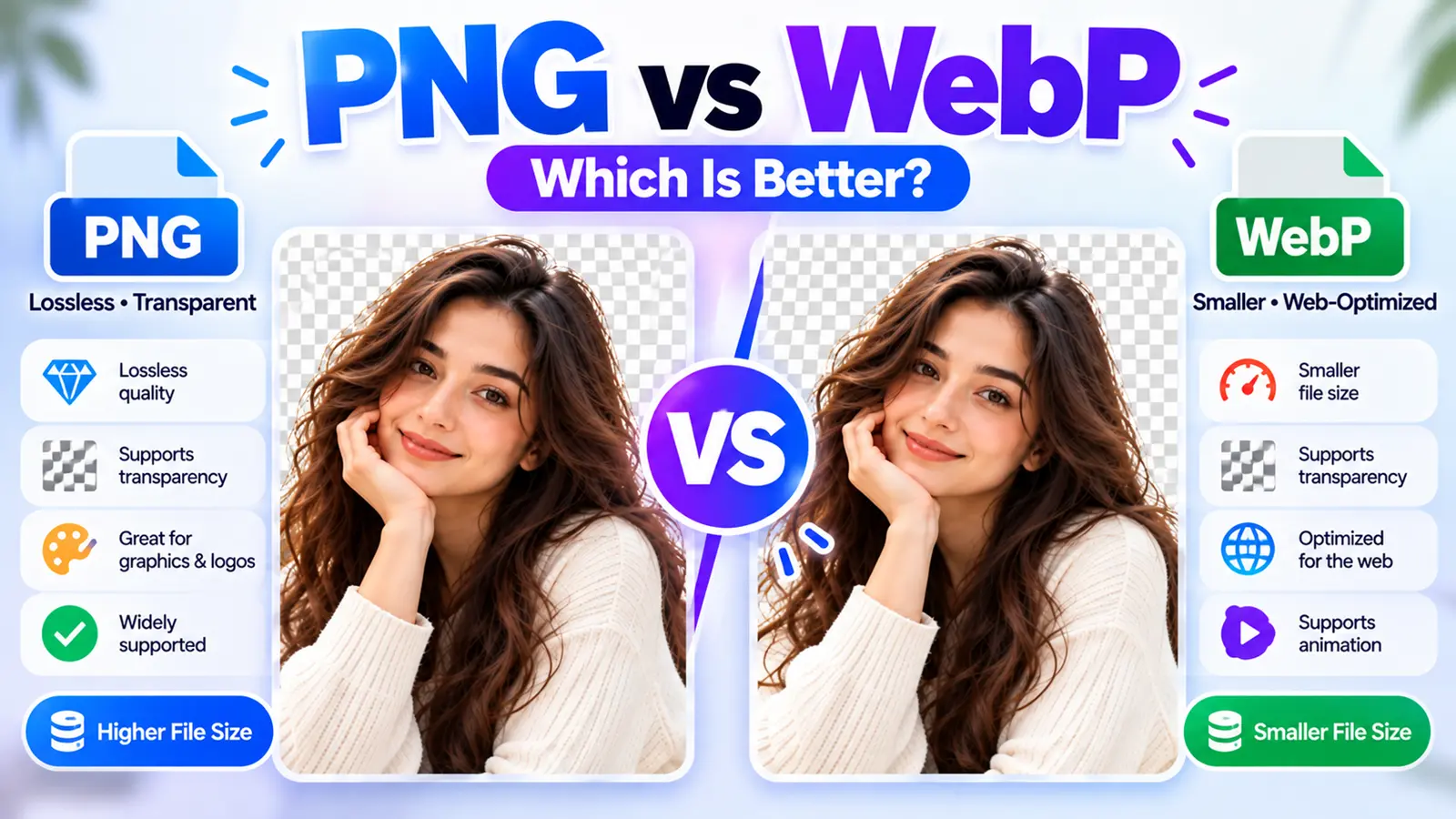
PNG and WebP can both preserve transparency and both can be used losslessly, but WebP additionally supports lossy compression and is often optimized for smaller web delivery. PNG remains a widely supported, established lossless format that's particularly useful for graphics, screenshots, and workflows where PNG itself is required.
PNG is a strong choice for lossless raster graphics and transparent images, while WebP offers both lossy and lossless compression and can often reduce file size for web delivery. The better format depends on whether your priority is editing and compatibility, exact lossless reproduction, transparency, or web performance.
Create a Transparent Cutout with ByByBG→
PNG vs WebP at a Glance
PNG's specification supports lossless storage with optional alpha transparency, while WebP supports both lossless and lossy encoding plus transparency.
What Is PNG?
PNG stands for Portable Network Graphics. It's a raster format built around lossless compression, with support for transparency through an alpha channel.
It's particularly well suited to sharp graphics, screenshots, logos, and cutouts.
Learn more in What Is a Transparent PNG?.
What Is WebP?
WebP is a modern raster image format designed with efficient web delivery in mind. It supports:
Lossy compression: Produces smaller output by discarding some image information.
Lossless compression: Preserves image data without lossy degradation.
Transparency: Alpha information can be retained.
Animation: Also supported, similar to animated GIF or APNG.
WebP has broad support across current major browsers, including Chrome, Edge, Firefox, Opera, and Safari.
PNG vs WebP: What's the Main Difference?
PNG is fundamentally a lossless format. WebP can operate as either lossy or lossless, depending on how it's encoded.
That's the biggest practical difference: WebP gives you an additional tradeoff between quality and file size, where appropriate, while PNG sticks to one consistent lossless approach.
PNG vs WebP File Size
WebP can often produce smaller files than PNG for comparable web use, although the result depends heavily on the image content and encoder settings. When comparing lossless WebP with PNG, either format's final size can vary depending on the image and how it is encoded.
Why File Size Matters for Websites
Smaller image payloads can help reduce download time, bandwidth use, and overall page weight — especially for blog feature images, product grids, galleries, landing pages, and other visually heavy pages.
That said, format is only one part of image optimization. Dimensions, responsive delivery, and compression settings all matter too.
PNG vs WebP Image Quality
It's tempting to say "PNG has better quality," but that's incomplete, since lossless WebP also exists. A more accurate breakdown:
PNG: Lossless.
Lossless WebP: Also lossless.
Lossy WebP: Trades some image information for a smaller file size.
Comparing "PNG quality vs WebP quality" without specifying whether the WebP is lossless or lossy is an incomplete comparison.
Lossless PNG vs Lossless WebP
This is a genuine apples-to-apples comparison, since both can preserve image data losslessly. The real difference comes down to:
File size
Tool and software compatibility
Workflow requirements
Encoding and decoding considerations
The intended destination for the file
Whether a specific format is required
Lossy WebP vs PNG
This isn't an equal compression model. PNG is lossless. Lossy WebP intentionally discards some information to achieve a smaller file size.
So if a lossy WebP file turns out much smaller than a PNG of the same image, that's not simply "free compression" — the quality setting used for the WebP matters a great deal.
PNG vs WebP Transparency
Both formats support transparency.
PNG: Well-established alpha transparency.
WebP: Also supports alpha and transparency.
It's a common misconception that WebP doesn't support transparency — that's simply not accurate. Both formats can be used for transparent-background images.
Which Is Better for Transparent Backgrounds?
Both can work well. The choice comes down to context:
Choose PNG when:
PNG is specifically required by your workflow or destination
Editing or application compatibility matters
You prefer an established, widely recognized transparent raster workflow
Choose WebP when:
The image is primarily for modern web delivery
Smaller file size is valuable
Your platform or pipeline supports WebP correctly
PNG vs WebP After Background Removal
Original Image
↓
AI Removes the Background
↓
Transparent Cutout
↓
Choice: PNG or WebP
For general download and reuse, PNG is a straightforward, widely recognized transparent output. For optimized web delivery, a transparent WebP can be useful when the site's image pipeline supports it.
PNG vs WebP for Product Photos
PNG: Useful as a transparent product master or cutout, a reusable asset, and for marketplace or design workflows where PNG is specifically required.
WebP: Useful for website product pages, product grids, faster web delivery, and transparent product imagery on the web.
A useful workflow:
Original Product Photo
↓
Background Removal
↓
Transparent Master (PNG)
↓
Web-Optimized Derivative (WebP)
See How to Remove Background from Product Photos.
PNG vs WebP for Websites
For many website raster images, WebP is often the better delivery format, largely due to its compression efficiency. Current guidance generally favors modern formats like WebP (and AVIF) for raster web delivery, with fallbacks available where compatibility requirements demand them.
That doesn't mean every PNG on a website needs to be replaced — there are legitimate exceptions, which are covered below.
PNG vs WebP for Logos
If a logo exists as a vector file, SVG is often a better choice than either PNG or WebP for many web-logo scenarios, since it scales cleanly to any size without quality loss.
For a raster logo specifically:
PNG: Excellent sharp edges, transparency, and broad workflow compatibility.
WebP: Can also preserve transparency and reduce delivery size.
Avoid forcing a raster format when a vector option like SVG already exists.
PNG vs WebP for Screenshots
Screenshots typically contain text, UI elements, sharp lines, and flat colors — content where lossless compression is usually preferable. PNG or lossless WebP are both reasonable choices here.
Lossy WebP isn't generally recommended for this kind of content, since compression artifacts around sharp text and UI edges tend to be more noticeable.
PNG vs WebP for Photos
PNG generally isn't the most storage-efficient choice for ordinary photographic web content, since lossless compression doesn't shrink photographic detail the way lossy compression can.
WebP can use lossy compression for photos, so for photographic web delivery, WebP will often make more sense than PNG. If the image is a transparent photographic cutout, WebP can still support alpha transparency as well — which is particularly relevant for background-removal workflows.
PNG vs WebP for E-commerce
Picture a store with 500 product images. At that scale, image delivery efficiency becomes genuinely meaningful for page performance.
A reasonable workflow:
Original or Master Image
↓
Transparent PNG
↓
Web-Optimized WebP
This separates your editing/master asset from your website delivery asset, rather than trying to use one file for both purposes.
PNG vs WebP Browser Support
Historically, browser support was a real disadvantage for WebP. Today, WebP is supported by current major browsers, including Chrome, Edge, Firefox, Opera, and Safari. PNG still has even deeper historical compatibility, given how long it's been around.
It's worth avoiding outdated claims like "Safari doesn't support WebP" — that's no longer broadly accurate. For legacy support needs, the HTML
PNG vs WebP Compatibility Outside Browsers
Browser support isn't the only consideration. It's also worth thinking about:
Image editors
Older desktop applications
CMS workflows
Upload systems
Marketplace requirements
APIs
Social platforms
PNG's long history can make it a safer choice in workflows where a receiving system explicitly expects PNG. It's worth checking the destination's accepted formats before converting everything to WebP.
Does WebP Lose Quality?
Lossy WebP: Yes — it intentionally discards information according to the encoding settings used.
Lossless WebP: No lossy degradation, by definition.
The more useful question to ask is: are you using lossy or lossless WebP?
Does PNG Lose Quality?
PNG compression itself is lossless — the format is specifically built for lossless storage.
That said, the broader editing pipeline can still affect quality through resizing, prior JPEG compression, color conversion, a poor source image, or repeated transformations. PNG cannot magically restore information that was already lost before it was exported.
Should You Convert PNG to WebP?
Worth considering when:
The image is being served on a website
The file size is unnecessarily large for its use case
Your delivery stack supports WebP
You can verify visual quality and transparency after conversion
Maybe not the right move when:
The PNG is your master asset
Another system specifically requires PNG
Your editing workflow depends on PNG
The file matters as an archival or source asset
A solid default: keep a master PNG where useful, and generate a WebP specifically for delivery.
Should You Convert WebP Back to PNG?
This can make sense when an editor doesn't support WebP, a platform requires PNG, you need a PNG-specific workflow, or you want an easier interchange or master format.
Important caveat: converting a lossy WebP back to PNG does not restore information that was already discarded. The resulting PNG becomes lossless from that point forward, but previously lost detail doesn't come back.
PNG vs WebP for SEO
It's worth being careful here — search engines don't rank a page higher simply because an image is in WebP format. A more accurate way to put it: search performance can benefit indirectly from efficient image delivery when it improves overall page performance and user experience. Simply changing a file extension isn't an SEO shortcut on its own.
Descriptive filenames, alt text, image dimensions, responsive images, image quality, and the surrounding content still matter just as much.
PNG vs WebP for Page Speed
WebP's compression efficiency can reduce image transfer size, but actual page performance depends on several other factors too: overall file size, image dimensions, lazy loading, responsive images, CDN and caching setup, the number of images on a page, network conditions, and decode costs.
In short: WebP isn't an automatic fast website, but it can be an important optimization component.
PNG vs WebP vs JPG
For a deeper two-format comparison, read PNG vs JPG: Which Image Format Is Better for Your Images?.
PNG vs WebP vs AVIF
Modern web formats also include AVIF, which offers strong compression along with features like transparency, though compatibility and workflow considerations still apply. A full AVIF comparison is a topic of its own — for now, the main point is that WebP isn't the only modern alternative to PNG worth knowing about.
Which Should You Use After Removing a Background?
Choose PNG when:
You want a broadly recognized transparent file
You plan to do further editing
The destination specifically requires PNG
You want a reusable master cutout
Choose WebP when:
The image is mainly for website delivery
Smaller transfer size matters
Your platform supports WebP
You still need transparency
Consider both when:
You keep a PNG master and generate a WebP web derivative from it.
PNG vs WebP — Which Is Better?
Neither format is universally better.
PNG wins when the priority is an established lossless workflow, compatibility, and transparent master assets.
WebP wins when the priority is efficient modern web delivery, flexible lossy or lossless compression, and transparency.
A practical approach: create and preserve a clean transparent master image, then choose the delivery format based on where that image will actually be used.
Frequently Asked Questions
Is WebP better than PNG?
It depends on the use case. WebP is often better for web delivery due to smaller file sizes, while PNG remains a strong choice for lossless master assets and broad compatibility.
Is PNG higher quality than WebP?
Not necessarily — lossless WebP matches PNG's lossless quality. Only lossy WebP trades quality for a smaller file size.
Is WebP smaller than PNG?
Often, yes, especially in lossy mode, but the actual difference depends on the image content and the encoding settings used.
Does WebP support transparency?
Yes. WebP supports alpha transparency. Transparent WebP images can use lossless or lossy compression for their image data, depending on how the file is encoded.
Which is better for transparent backgrounds, PNG or WebP?
Both work well. PNG is the more established, broadly compatible choice; WebP can offer a smaller file size when your platform supports it.
Is WebP lossless?
WebP can be either lossless or lossy, depending on how it's encoded.
Does WebP lose quality?
Only in lossy mode. Lossless WebP doesn't discard image data.
Does PNG lose quality?
PNG compression itself is lossless, though the broader editing process (resizing, prior compression, and so on) can still affect overall quality.
Is PNG or WebP better for websites?
WebP is often better for general web delivery due to its compression efficiency, though PNG still has a place for specific compatibility needs.
Is PNG or WebP better for product images?
PNG works well as a transparent master asset, while WebP is often better suited to the web-facing version of the same image.
Is PNG or WebP better for logos?
If a vector version exists, SVG is usually the better choice for either. For raster logos, both PNG and WebP can preserve transparency well.
Should I convert PNG to WebP?
It's worth considering for website delivery when your platform supports WebP and you can verify the converted image still looks correct.
Can I convert WebP to PNG without improving lost quality?
Converting a lossy WebP to PNG does not restore information that was already discarded during the lossy compression step.
Do all browsers support WebP?
Current major browsers, including Chrome, Edge, Firefox, Opera, and Safari, support WebP. For legacy support needs, a fallback approach like the
Which format should I use after background removal?
PNG is a solid default for a transparent master file. WebP is a good option when the image is mainly headed for web delivery and your platform supports it.
Conclusion
PNG and WebP aren't really competitors so much as tools suited to slightly different jobs. PNG remains a dependable, broadly compatible, lossless format — especially useful for master assets, graphics, and transparency. WebP adds the flexibility of both lossless and lossy compression, often at a smaller file size, which makes it a strong choice for modern web delivery.
For most background-removal workflows, a sensible approach is to keep a clean transparent PNG as your master file, and generate a WebP version specifically for the website or platform where the image will actually be used.
Ready to create your transparent master image? Try ByByBG→