
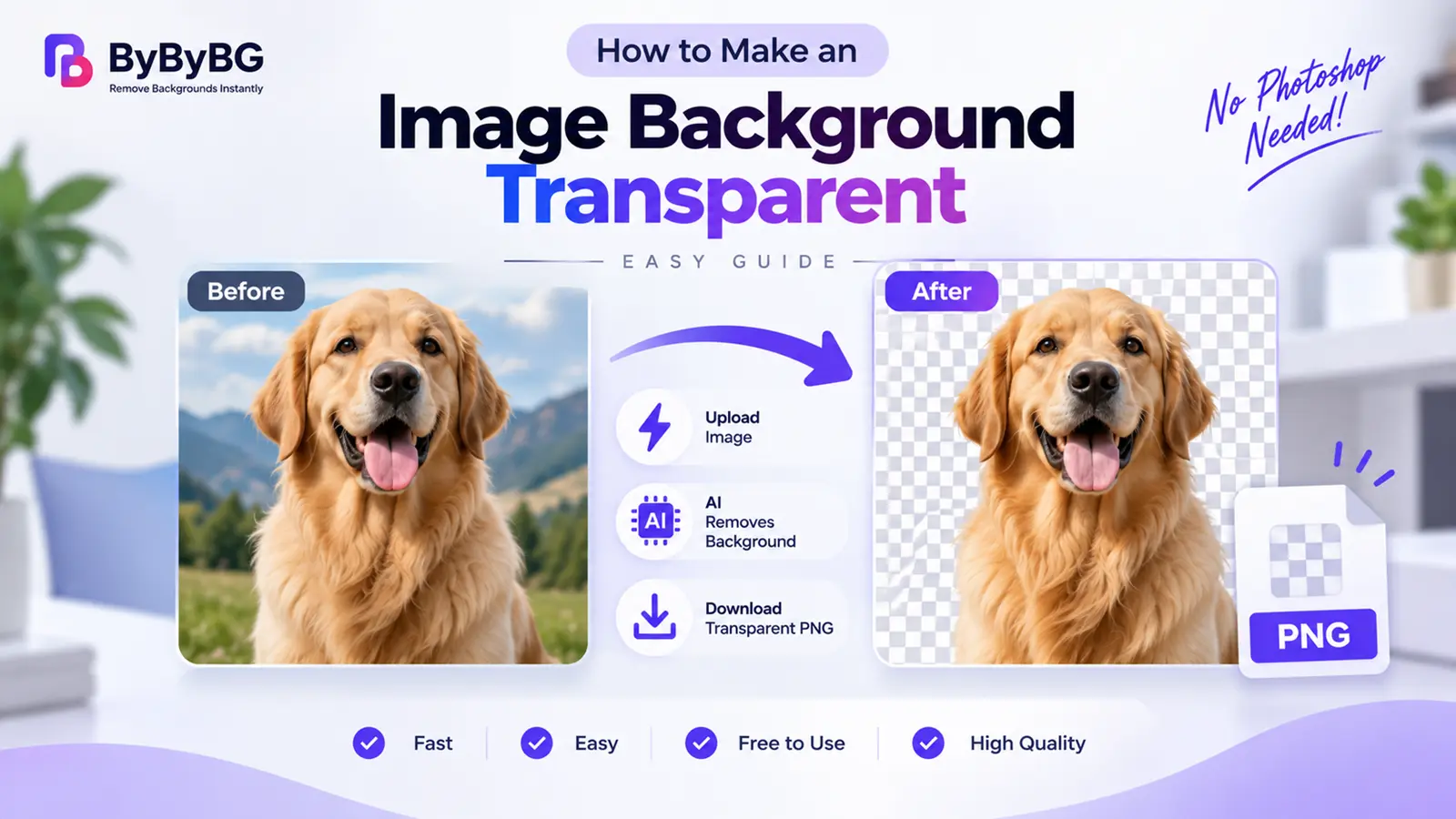
Short answer: You can make an image background transparent by removing the existing background and exporting the remaining subject in a format that supports transparency, such as PNG. With an online AI background remover, this can usually be done without manually editing the image in Photoshop.
Make Your Image Background Transparent with ByByBG →
How to Make an Image Background Transparent Online
The process is the same whether you're working with a product photo, a portrait, or a logo:
Step 1: Upload Your Image
Upload the image you want to edit. Most online background removers, including ByByBG, accept common formats such as JPG and PNG.
Step 2: Let AI Remove the Background
The AI automatically detects the main subject and separates it from the surrounding background.
Step 3: Check the Transparent Result
Review the result, paying attention to edges, hair, or fine details, to make sure the cutout looks clean.
Step 4: Download the Image
Download the image in a format that preserves transparency, such as PNG or WebP.
Step 5: Use the Transparent Image Anywhere
Once downloaded, the transparent image can be placed on a website, added to a new background, used in a design, or uploaded to a product listing.
What Does a Transparent Background Mean?
A normal image is made up of a subject plus a background — every pixel has a color, including the area behind the main subject. A transparent image, on the other hand, is made up of the subject plus a transparent area where the background used to be. There's no background color at all in that space; it's simply empty.
Many image editors display transparent areas using a gray-and-white checkerboard pattern. That checkerboard isn't part of the actual image — it's just a visual convention used to represent "no background pixels here" so it's easy to see where the transparency is.
How Does Background Removal Create Transparency?
Transparency is essentially the end result of the background removal process:
Original Image → AI Identifies the Subject → Background Is Separated → Background Pixels Are Removed → Transparent Area Remains → PNG / WebP Output
Want the technical details? Our guide explains the full detection and masking process: How AI Background Removal Works
PNG vs JPG for Transparent Backgrounds
Not sure whether to use PNG or JPG? See our complete comparison: PNG vs JPG: Which Image Format Is Better for Your Images?
Why Can't JPG Have a Transparent Background?
JPG/JPEG does not support an alpha channel for transparency. An alpha channel stores information about which parts of an image should remain visible and which parts should be transparent. Because standard JPG/JPEG cannot store this transparency information, a transparent background cannot be preserved when the image is saved as JPG.
In practice, this means the rule is simple: use PNG or WebP for a transparent image, and save JPG for normal photographic images where transparency isn't needed.
How to Make a White Background Transparent
This is a common request for product images, logos, signatures, icons, scans, and artwork that were originally photographed or saved on a plain white background.
White Background → AI Detects the Subject → White Background Removed → Transparent Output
One honest caveat: a white object on a white background can be genuinely difficult for automatic systems, since there's very little contrast between the subject and the background for the AI to detect. Results tend to be best when there's at least some visible edge or shadow separating the subject from the white background.
How to Make a Logo Background Transparent
A transparent logo is one of the most practical assets a brand can have, since it can be placed cleanly on websites, business cards, social media, presentations, product packaging, and marketing materials without a visible box around it.
Need a transparent logo? Try ByByBG →
How to Make a Product Image Background Transparent
Transparent product images are especially useful for product catalogs, e-commerce listings, ads, store pages, product comparisons, and marketing graphics, since the same cutout can be reused on different backgrounds without reshooting the product.
For a closer look at the full process, see our guide: How to Remove Background from an Image Online for Free
How to Make a Photo Background Transparent
The same basic process works for everyday photos, not just products and logos. Common examples include profile photos, portraits, social media images, creative designs, and presentation graphics, where isolating the subject makes it easier to place on a new background or layout.
How to Make an Image Background Transparent Without Photoshop
You don't need Photoshop for many basic background-removal tasks. Online AI background removers can automatically identify the subject and remove the surrounding background, so there's no need for manual selection tools, layers, or masking.
With ByByBG, the process is: upload → AI removes the background → download the transparent result.
Try ByByBG →
How to Make an Image Background Transparent on Mobile
The process works from a phone too, as long as the tool supports mobile browsers:
1. Open ByByBG in your mobile browser.
2. Upload the image from your phone.
3. Let the tool process the image.
4. Preview the result.
5. Download the transparent image.
How to Save an Image With a Transparent Background
Some people successfully remove a background but then accidentally lose the transparency when saving. The key is choosing a format that supports transparency.
• PNG: The most common and widely compatible choice for transparent images.
• WebP: Also supports transparency and can produce a smaller file, useful for websites.
Avoid saving as JPG if you need to keep the transparent area — JPG doesn't preserve transparency at all.
Where Can You Use a Transparent Image?
• Websites: Logos, icons, and product images that need to sit cleanly on different page backgrounds.
• E-commerce: Product cutouts for listings and catalogs.
• Social media: Posts, graphics, and thumbnails.
• Presentations: Clean graphics without a distracting background box.
• Advertising: Creative compositions that combine multiple images.
• Branding: Logos and other brand elements used across different materials.
Transparent Background vs White Background
Does Making an Image Transparent Reduce Quality?
Removing a background doesn't inherently mean the subject has to lose quality. The final quality depends on several factors, including the original image's resolution, the processing method used, the output resolution, edge quality, and compression settings applied when the file is saved.
Using a high-quality source image and exporting in an appropriate format helps preserve as much detail as possible.
Tips for a Better Transparent Background
• Use a high-resolution image
• Keep the subject clearly visible
• Avoid excessive blur
• Check hair and fine edges
• Check shadows around the subject
• Review the transparent areas before downloading
• Export in a transparency-supporting format (PNG or WebP)
What Images Work Best for Transparent Background Removal?
Some images are naturally easier to process than others.
Best Candidates
• Product photos
• Portraits
• Logos
• Shoes
• Clothing
• Cars
• Furniture
• Pets
• Objects with clear edges
More Challenging
• Hair
• Fur
• Glass
• Smoke
• Shadows
• Transparent objects
• Very low-resolution images
Frequently Asked Questions
How do I make an image background transparent?
Remove the background from the image using an online AI background remover, then export the result as a PNG (or another format that supports transparency).
How can I make a picture background transparent for free?
Use a free online tool like ByByBG: upload the picture, let the AI remove the background, and download the transparent result.
Can I make an image transparent without Photoshop?
Yes. Online AI background removers can detect and remove a background automatically, without needing Photoshop or other design software.
How do I make a JPG background transparent?
Upload the JPG to a background remover, let the AI remove the background, and save the result as a PNG. The original JPG format itself can't store transparency.
Can JPG have a transparent background?
No. Standard JPG/JPEG does not support an alpha channel, so it can't store a transparent background.
What format is best for a transparent background?
PNG is the most widely compatible choice. WebP also supports transparency and can offer a smaller file size.
How do I make a logo background transparent?
Upload the logo to a background remover, let it detect and remove the unwanted background, then download the result as a transparent PNG or WebP.
How do I make a white background transparent?
Upload the image and let the AI detect and remove the white background. Results are generally best when there's some contrast or shadow between the subject and the white background.
Can I make an image background transparent on my phone?
Yes. Tools like ByByBG work in a mobile browser, so you can upload, process, and download images directly from your phone.
Does making a background transparent reduce image quality?
Not inherently — quality mainly depends on the original resolution, processing method, and export settings, rather than the act of removing the background itself.
How do I save an image with a transparent background?
Save or export the image as a PNG or WebP file. Avoid JPG, since it doesn't support transparency.
Can I use a transparent image on a website?
Yes. Transparent PNG or WebP images are commonly used on websites for logos, icons, and product images.
Conclusion
Making an image background transparent comes down to a simple sequence: remove the background, then export the result in a format that supports transparency, like PNG. From there, the image can be placed on any new background — a website, a product listing, a social graphic, or a design project — without a solid-colored box around it.
Download the image in a format that preserves transparency, such as PNG or WebP.